Google Business Profile Optimization: The Dental Practice Checklist
 Mor RomanoCTO, Growbi12 min read
Key Takeaways
- Google ranks map results on relevance, distance and prominence, and no payment improves organic local ranking.
- Your primary category does the most work, so pick Dentist or your true specialty and add precise secondary categories.
- Google bans review gating and incentives, so ask every patient, not only the happy ones.
- HHS has fined dental practices for revealing patient details in review replies, so never confirm someone is a patient.
Google Business Profile optimization for a dental practice means giving Google complete, accurate information it can match to patient searches: the right primary and secondary categories, every service, real hours, current photos and a steady flow of reviews. Google ranks local results on relevance, distance and prominence, and says you cannot pay for a better position.
Table of Contents
Ask a new patient how they chose your practice and the answer is often some version of "you came up on Google and the reviews looked good." They saw your name in the map, tapped it, looked at the photos, skimmed a few reviews and called. Your website may never have entered the picture.
That makes the profile one of the cheapest growth levers a practice has, and one of the most neglected. Most profiles we audit have a single category, half the services missing and photos from the opening year.
Below is the checklist we work through for dental clients, including two things most guides skip: Google's review rules and the HIPAA risk in replying to reviews.
Why Your Google Business Profile Matters for a Dental Practice
Because it is where the decision happens. Searches like "dentist near me" or "emergency dentist" show a map with three practices before any website, and patients compare those three on rating, review count, photos and distance.
The profile also feeds Google's AI features. Google's own guidance on AI search tells businesses to keep Business Profile information current, and AI answers increasingly quote review text when someone asks which dentist to choose. Our answer engine optimization guide explains how that works.
How Google Ranks Dental Practices in the Map Pack
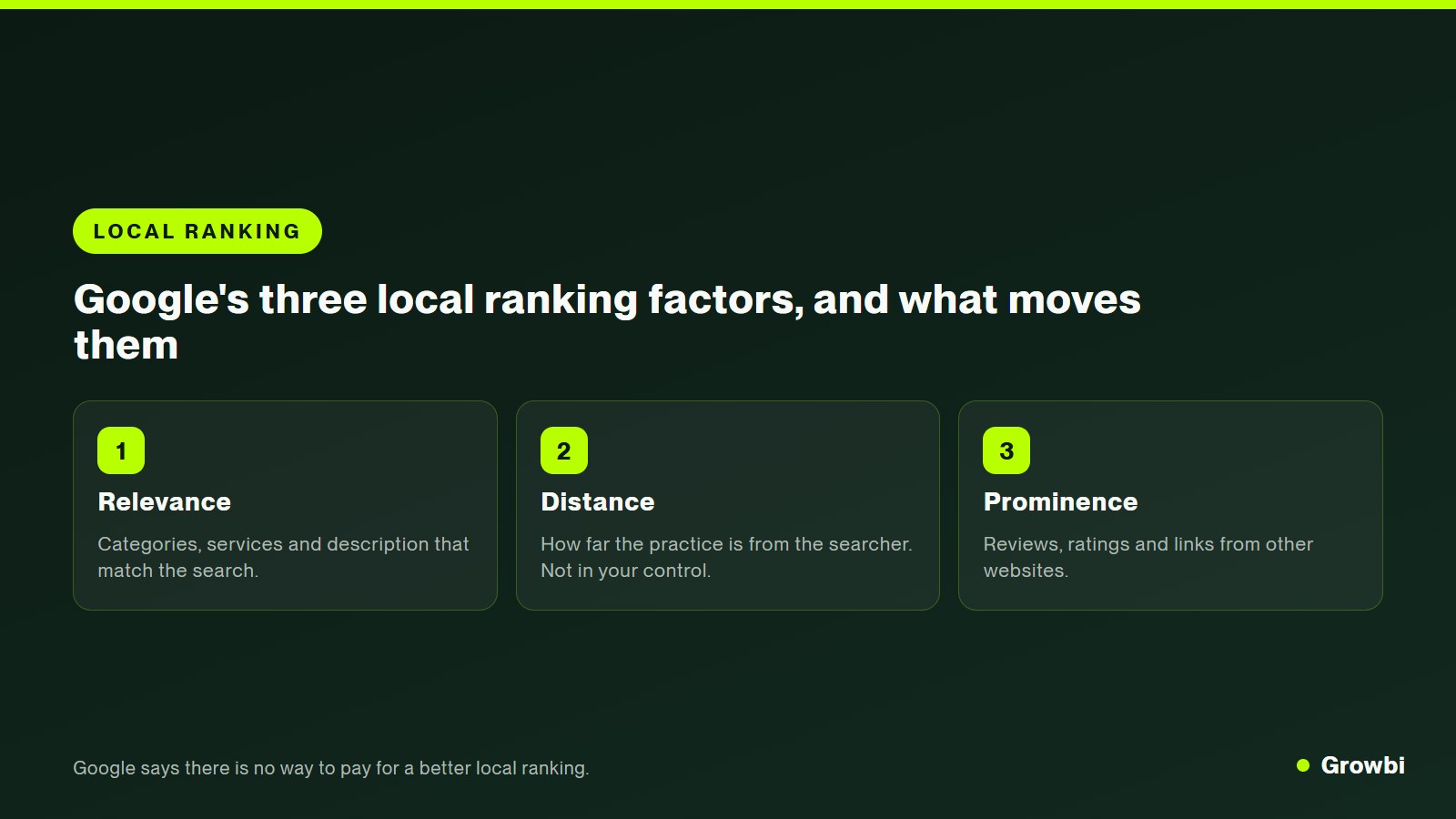
Google is unusually open about this. Three factors decide local results, and only two are in your hands.
- Relevance: how well your profile matches what someone searched. Categories, services and description drive this.
- Distance: how far your practice is from the searcher or the location in the search. You cannot change it.
- Prominence: how well known your practice is, including reviews, ratings and links from other websites.
Google's page on how to improve your local ranking also states that there is no way to request or pay for a better local ranking. Ads can appear above the map, but the organic map positions are earned.
Source: Google Business Profile Help, Tips to improve your local ranking on Google
How to Choose Categories for a Dental Practice
Your primary category is the strongest relevance signal on the profile. Choose the one that describes the practice as a whole, then add secondary categories only for services you genuinely offer.
- General and family practice. Primary category: Dentist; Useful secondary categories: Dental clinic, Cosmetic dentist, Emergency dental service
- Cosmetic-focused practice. Primary category: Cosmetic dentist; Useful secondary categories: Dentist, Teeth whitening service
- Implant-focused practice. Primary category: Dental implants periodontist or Dentist; Useful secondary categories: Periodontist, Oral surgeon, Dental clinic
- Orthodontics. Primary category: Orthodontist; Useful secondary categories: Dentist only if general care is offered
- Children's practice. Primary category: Pediatric dentist; Useful secondary categories: Dentist, Emergency dental service
Do not put keywords in the business name. "Smith Family Dental" is fine. "Smith Family Dental | Implants & Invisalign Dentist Dallas" breaks Google's guidelines, which say unnecessary information in the name is not permitted. It can get a profile suspended, and a competitor can report it.
How to Set Up Services, Hours and Attributes
Fill in everything Google offers, because each field is another chance to match a search. Services are where most practices leave relevance on the table.
- Services: add every treatment as its own service with a one or two sentence description, from cleanings and fillings to implants, clear aligners, veneers, crowns and emergency visits.
- Hours: list real patient-facing hours, add special hours for holidays and update them before closures. Wrong hours create one-star reviews.
- Appointment link: point it to an online booking page or a page with a form, and add UTM parameters so you can see bookings from the profile in analytics.
- Attributes: wheelchair accessibility, languages spoken, insurance information where available and identity attributes the owners choose to show.
- Description: 750 characters in plain language: who you serve, what you are known for, and the neighborhoods nearby. No keyword lists.
Make sure the name, address and phone on the profile match your website exactly. Our guide to dental practice website design covers the location page that should mirror the profile.
The Photos Every Dental Profile Needs
Photos answer the questions anxious patients will not ask on the phone: is it clean, is it modern, are the people kind. Google lists adding photos and videos as one of its tips to improve local ranking.
- Exterior from the street and parking, so first-time patients recognize the building.
- Reception and treatment rooms, bright and uncluttered.
- Every dentist and the team, in real clinical settings rather than stock photos.
- Technology such as intraoral scanners or CBCT, with a short caption about what it means for the patient.
- A short welcome video from a dentist explaining what a first visit looks like.
Add a few new photos every month. A profile that keeps changing signals an active practice to patients, and photo uploads are one of the simplest recurring tasks to hand to a front desk team.
How to Get More Google Reviews Without Breaking the Rules
Ask every patient, at the right moment, with a direct link. That sounds simple, but the method matters because Google's policies are strict.
Google's Maps content policy bans reviews paid for directly or in kind, offering discounts or free services for reviews, selectively asking only happy customers for reviews, and discouraging negative reviews. Reviews from current or former employees count as a conflict of interest.
- Asking every patient after the visit by text or email. Not allowed: Sending the request only to patients who rated you highly in a survey
- A QR code at the front desk. Not allowed: A discount, gift card or raffle entry for leaving a review
- Reminding patients that honest feedback helps. Not allowed: Asking staff, friends or family to post reviews
- Replying to every review, positive or negative. Not allowed: Pressuring a patient to remove a negative review
Time the request for the moment of relief: after a pain-free emergency visit, the day aligners finish or after a smile reveal. Our dental patient retention guide covers how to build that request into the visit itself.
How Dentists Can Reply to Reviews Without Violating HIPAA
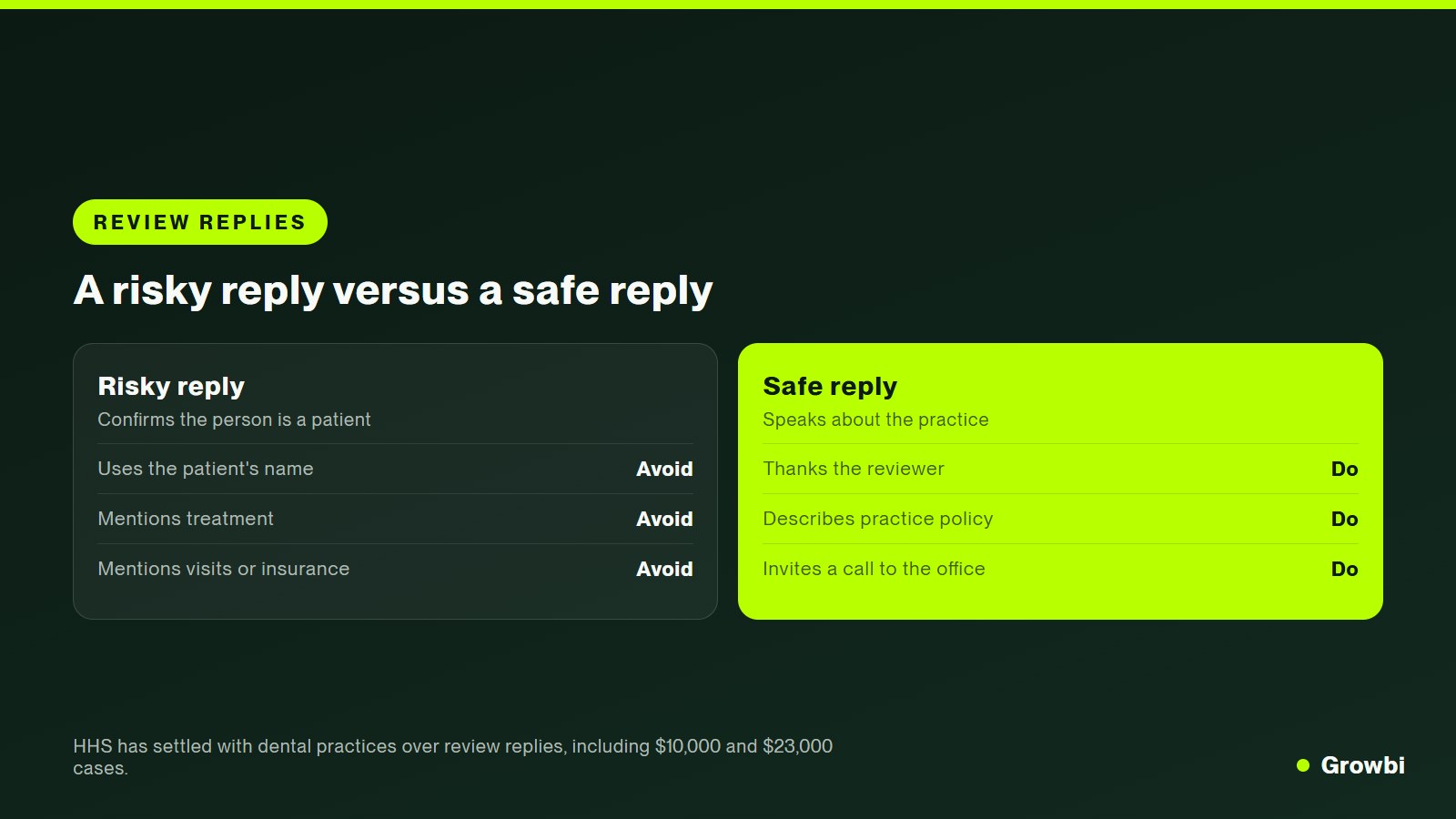
Reply to every review, but never confirm that the reviewer is a patient or mention anything about their care. That rule surprises many owners, especially when a review is unfair, but federal regulators have enforced it against dental practices.
The HHS Office for Civil Rights reached a settlement with Elite Dental Associates in Dallas, which paid $10,000 after disclosing patients' protected health information in replies to Yelp reviews. New Vision Dental in California paid $23,000 after its replies included patient names and details about visits and insurance.
- Elite Dental Associates, Texas (2019). What happened: Patient information disclosed in Yelp review replies; Outcome: $10,000 settlement and corrective action plan
- New Vision Dental, California. What happened: Replies included patient names, visit and insurance details; Outcome: $23,000 settlement and corrective action plan
- Dr. U. Phillip Igbinadolor, D.M.D. & Associates, North Carolina. What happened: Patient information disclosed in a reply to a negative review; Outcome: $50,000 civil money penalty
Source: HHS Office for Civil Rights, HIPAA resolution agreements
- Safe: "Thank you for the kind words. Our whole team works hard to make every visit comfortable."
- Safe: "We take every concern seriously and would like to talk. Please call our office manager at the number on our profile."
- Risky: "We are sorry your crown came loose, Sarah. Our records show you missed your follow-up."
- Risky: Any reply that mentions treatment, appointments, insurance, balances or dates.
This is general information, not legal advice. Give your team two or three approved reply templates and a rule that any negative review goes to the office manager before anyone replies.
When Each Dentist Should Have Their Own Google Profile
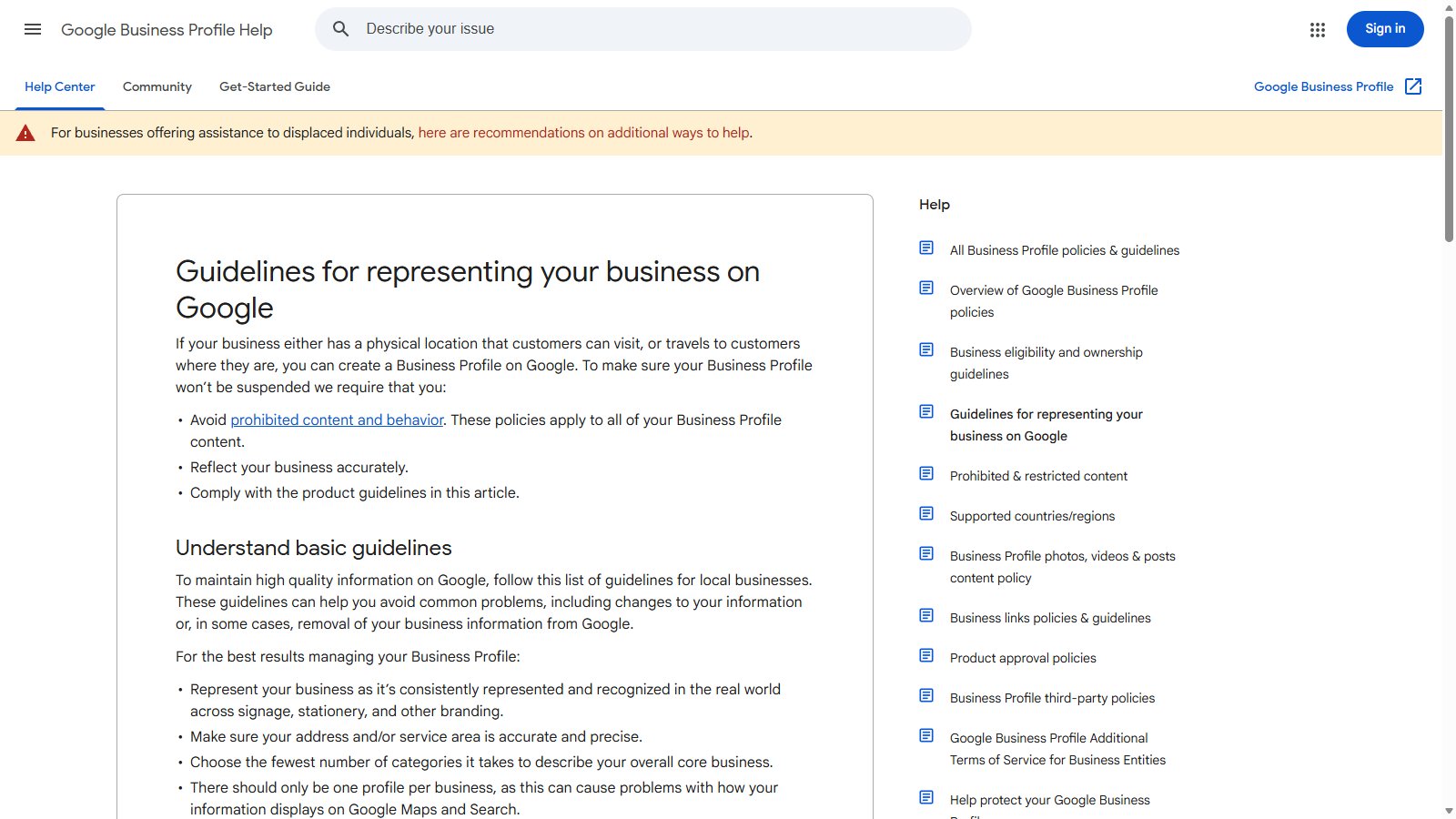
Often yes, if the dentist sees patients in a public-facing role. Google's guidelines for representing your business allow practitioners such as doctors and dentists to have their own profiles, with some rules.
Source: Google Business Profile Help, Guidelines for representing your business on Google
- Several dentists at one location: each can have a profile titled with only the dentist's name.
- A solo dentist at a branded practice: one shared profile named in the format "Practice name: Dentist name".
- One profile per person: a dentist should not have separate profiles for each specialty.
- Support staff: hygienists working under the practice and front desk staff should not create profiles.
- Multiple locations: each physical office gets its own profile, with its own hours, photos and reviews.
Practitioner profiles can win searches for a dentist's name and give patients a reason to choose a specific provider. They also split reviews, so decide deliberately where you ask patients to leave feedback.
What Changed on Google Maps in 2026
The biggest visible change is that Google retired the public Questions and Answers section on profiles and is replacing it with an AI feature called Ask Maps, which answers questions using reviews, photos and profile information.
Industry coverage reported the change after Google confirmed it in its Business Profile Help Forum in December 2025, and BrightLocal noted in March 2026 that availability was still limited and some health care categories did not show it yet.
The direction is clear even where the feature is not live yet. Your profile fields, your photos and the words in your reviews are becoming the raw material for AI answers about your practice, which makes accurate services and detailed reviews worth more each year.
The Full Google Business Profile Checklist for Dentists
Work through these in order. The first four take an afternoon; the last three become monthly habits.
- Verify and claim every location. Confirm you control the profile for each office, remove duplicates and make sure the address and phone match your website exactly.
- Set the primary and secondary categories. Dentist or your true specialty as primary, then only the secondary categories that match services you actually provide.
- Add every service with a short description. List each treatment separately, from hygiene to implants and emergency visits, in plain patient language.
- Complete hours, booking link and attributes. Real hours, holiday hours, an appointment link with UTM tags, accessibility, languages and insurance details where available.
- Upload real photos and a welcome video. Exterior, reception, treatment rooms, every dentist and the team, then add new photos each month.
- Start a compliant review request routine. Ask every patient by text with a direct link, never only happy ones, never with an incentive.
- Reply to every review with approved, HIPAA-safe templates. Thank, invite offline contact, and never confirm the person is a patient or mention care details.
How to Measure Whether Your Profile Is Working
Open the Performance view in your Business Profile each month and track four numbers, then connect them to booked appointments.
- Calls from the profile, ideally through a tracked number set as the primary phone with your main number as additional.
- Website and booking clicks, measured in analytics through the UTM tags on your profile links.
- Direction requests, a strong signal of patients planning a first visit.
- Review count and average rating, month over month, by location.
Then ask every new patient how they found you. When the profile is producing patients at no media cost, you have room to spend on growth elsewhere, which our dental SEO for small practices guide explains in more depth.
For the full picture of channels beyond Google, from recall to paid search, read how to get more dental patients, which puts them in the order we recommend.
FAQs
How do I optimize my Google Business Profile as a dentist?
Choose Dentist or your true specialty as the primary category, add accurate secondary categories, list every service with a short description, keep hours and contact details identical to your website, upload real photos of the office and team, ask every patient for a review with a direct link and reply to every review without mentioning patient care.
What is the best Google Business Profile category for a dentist?
For most general and family practices the best primary category is Dentist. Choose a specialty such as Orthodontist, Pediatric dentist or Cosmetic dentist as primary only if it describes the practice as a whole. Then add secondary categories for services you genuinely provide, such as Emergency dental service or Dental clinic.
Can a dentist reply to Google reviews?
Yes, and replying to every review is good practice. But a reply must never confirm that the reviewer is a patient or mention treatment, appointments, insurance or balances. The HHS Office for Civil Rights has settled with dental practices, including Elite Dental Associates for $10,000, after they disclosed patient information in review replies.
Can I offer a discount for Google reviews?
No. Google's Maps content policy prohibits offering payment, discounts, free goods or services in exchange for reviews, and it also bans asking only satisfied customers for reviews. The FTC's 2024 rule on fake reviews also prohibits buying reviews tied to a particular sentiment. Ask every patient, with no incentive attached.
Conclusion
For many new patients, your Google Business Profile is the practice. It is where they compare you with two other dentists in a few seconds, and Google ranks it on relevance, distance and prominence, not on what you pay.
Get the fundamentals exactly right: the correct categories, every service, real hours and photos, and a review routine that follows Google's rules. Then protect it with HIPAA-safe replies, because a careless response can cost far more than a bad review.
If you want your profile reviewed against this checklist, book a free strategy call and we will walk through it with you.
Get this system built for your business
Book a strategy call and we will model a realistic appointment target from your budget, market, and offer.